Kodeco Chat Server Tag

Kodeco Chat Server Tag
We’re excited to share a new way to show your Kodeco pride across Discord—Server Tags are now available for Kodeco Chat! 🎉
Server Tags let you display a small badge next to your name wherever you chat on Discord, helping you represent the Kodeco community and discover fellow members beyond our server. It’s a simple feature with a big impact on visibility and connection.
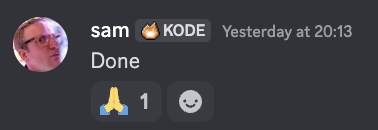
How to add a tag
Getting set up takes just a minute:
- Make sure you’re a member of Kodeco Chat.
- In Discord, open User Settings → Profiles → Server Profiles.
- Enable the Kodeco Chat Server Tag and you’re good to go!
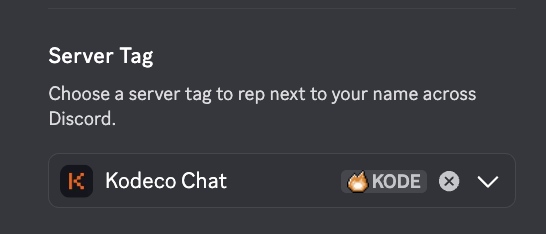
For step-by-step guidance, check out Discord’s official instructions here
Conclusion
By turning on the Kodeco Chat Server Tag, you help promote our community across Discord and make it easier for developers to find, recognize, and connect with each other.
Huge thanks to our moderation team lead Roberto Machorro for spearheading this initiative and say thanks to him yourself on discord! And thanks also to you for being part of Kodeco—and we can’t wait to see those tags lighting up conversations everywhere!

Photo by BoliviaInteligente on Unsplash