

Getting Started with iOS App Observability
Ready to add AI to your iOS apps without privacy concerns or cloud dependencies? Apple Foundation Models brings powerful on-device language models to iOS 18+. This tutorial shows you how to build AI-powered apps with structured data generation, covering basic integration and advanced techniques for production-ready features. By Ehab Amer.
Sending Spans from Your App
So far, you added all the support code for creating the spans with Open-Telemetry. By creating spans across different parts of your app, you can measure the time your code took to execute. One good example is to measure the time your users waited for their search results.
Go to TheMetStore.swift add this line in the very beginning of fetchObjects(for:):
let span = OTelSpans.createSpan(scopeName: "TheMet-Tracing", name: "fetchObjects")
And add this right before the end of the method:
span.end()
Run the app and search for a few different keywords, then open your Grafana portal.
Reviewing your Spans on Grafana
From the menu, choose Traces under the Drilldown section. Choose Traces from the tabs in the middle of the page.
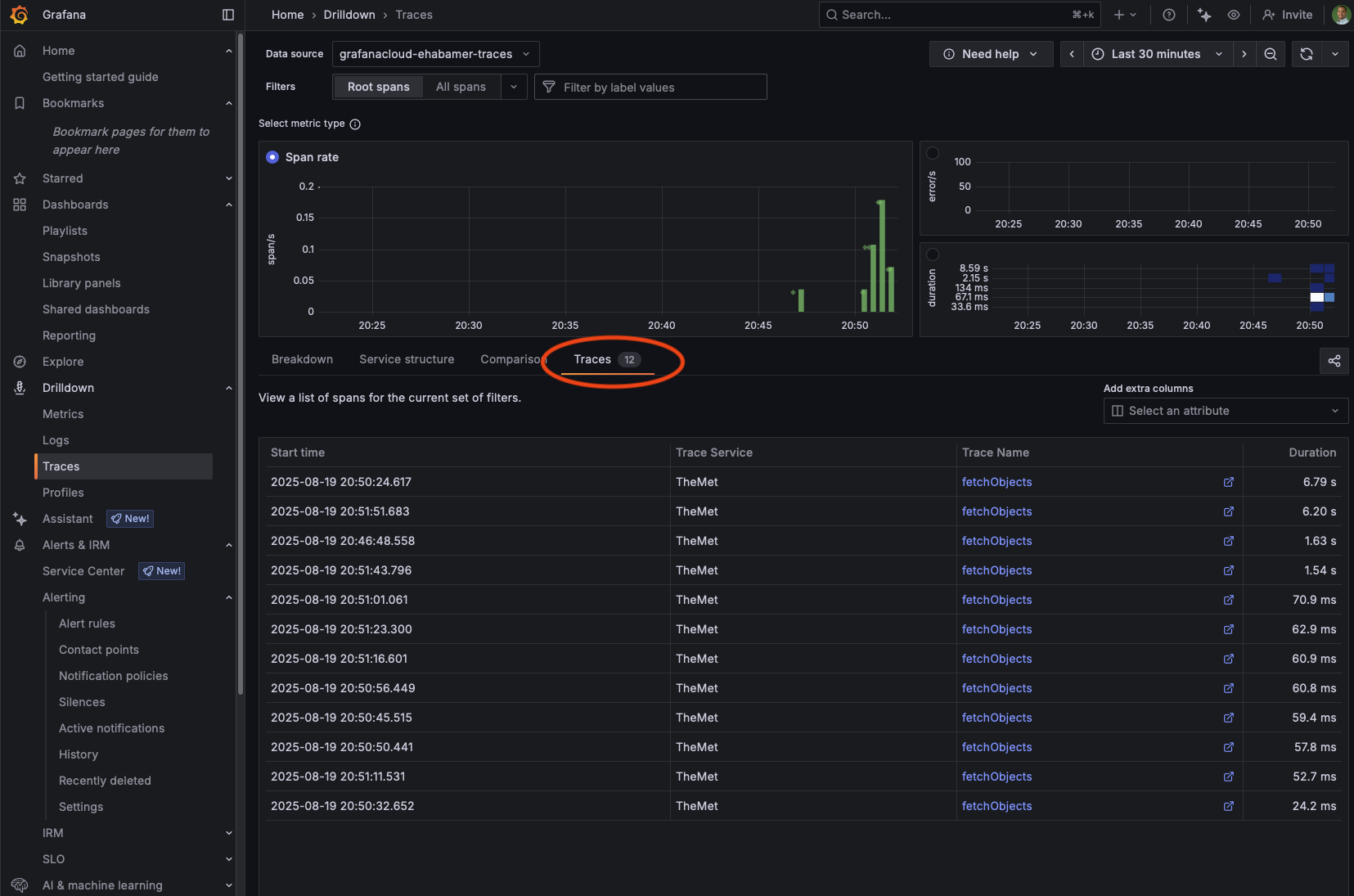
Selecting the tab will show you all the individual spans you sent: When it started, its name, and its duration.
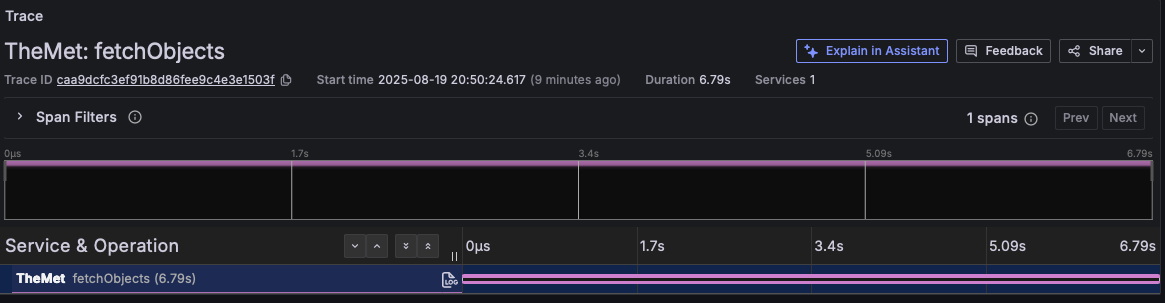
You can select any of the individual spans from its trace name for more information.
Ready to go deeper?
Check out the full module for a step-by-step guide and downloadable code.
Start building real-world observability into your iOS app today!